


Find Friends Family Locator
3.5257.00 Reviews
App Specs
- Version
- 138
- Updated On
- License
- Free
- Downloads
- 1,000,000+
- Developer
- synchronise
- Categories
- Parenting
- Platform
- Android
Screenshots
 Analysis by AppCompare
Finding a family member in a busy place sounds simple until a location marker refuses to move, an invitation is missed, or someone assumes that “shared” means “available every second.” My experience with Find Friends Family Locator is that its value depends less on the map itself and more on getting the everyday setup right. It is a parenting app from synchronise, aimed at sharing locations and helping people find friends or relatives from their phones.
The app is free to install and is rated for Everyone, which makes it approachable for households with different ages and technical confidence. It has passed one million installs, so it is not an obscure experiment. At the same time, its average rating sits at 3.5 from roughly 3,100 ratings, a useful reminder that location tools can feel excellent when everything is configured correctly and frustrating when one phone, account, or connection gets in the way.
Getting past the setup points that cause most frustration
The first thing I would tell a new user is not to rush straight to the map. A family locator only becomes useful when the people involved understand who is sharing, who is viewing, and what “current location” means in practice. If one person expects a permanent live trail while another expects occasional check-ins, the app may appear unreliable even though the disagreement is really about expectations.
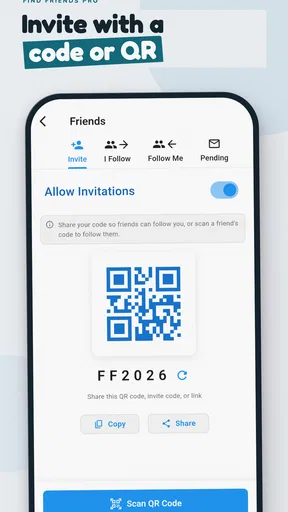
I would begin with the smallest useful group: myself and one trusted family member. That makes it easier to see whether invitations, location sharing, and map updates work before adding children, grandparents, or friends. It also avoids the common mistake of trying to troubleshoot several phones at once. Once the basic connection works, I would expand the group gradually and ask each person to confirm that they understand what the app is showing.
Because the developer is synchronise, the app is presented as a focused tool rather than a broad social network. That focus is helpful for a parent who wants a simple way to check whether a family member has reached a destination. It is less appealing if you want a complete household dashboard with extensive scheduling, communication, or smart-home controls. I would judge it as a location-sharing utility first, not as an all-purpose family management system.
What to check before blaming the map
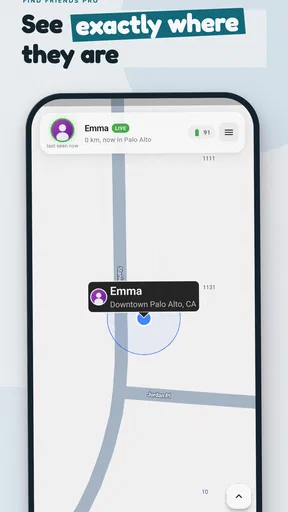
When a location looks old, I check the phone that is being located before repeatedly refreshing my own screen. The other phone may have lost its connection, may be indoors with a weak signal, or may not be actively communicating with the service. A map cannot display a fresh position if the source phone has not supplied one.
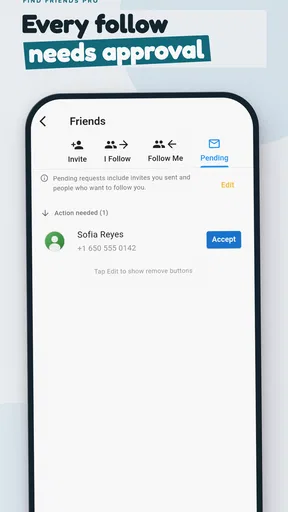
I also check whether the person is still part of the intended sharing arrangement. Family groups change: an invitation may not have been completed, a person may have switched phones, or someone may have stopped sharing without realizing how much the rest of the group depended on it. Confirming the relationship directly is often quicker than deleting and reinstalling everything.
Worth Reading Before You Choose

Flipboard Shows What News Apps Must Do Beyond the Feed

Switching to Android Auto Means Rethinking Your Driving Routine

Google Calendar Makes a Crowded Week Easier to Manage

Ludo King Makes the Most of the Minutes Between Plans

Baby Panda World Brings Quick Play to Modern Phones, but Its Game Library Feels Busy

ESPN’s Live Game View Makes Following Close Games Easier
Another useful habit is to test the app in an ordinary situation rather than during an emergency. Try it while both phones are together, then separate for a short trip. This gives everyone a reference point for how quickly the map changes in their normal environment. It also exposes misunderstandings about whether the app is showing a live position, a recent position, or simply the last successful update.
The most important setup decision is agreeing on what the map is allowed to prove. A marker can help answer “where was this phone recently?” It should not automatically be treated as proof that a person is safe, awake, attentive, or physically standing at that exact point. That distinction matters especially when parents use a locator with teenagers.
Why permissions and phone settings matter so much
Location sharing relies on the phone’s own operating-system settings. If location access is restricted, background activity is limited, or the phone is conserving power aggressively, updates can become delayed. I would review the relevant settings on every participating device rather than assuming that one successful test means the configuration is permanent.
The minimum supported operating system is Android 7.0, so older compatible phones may technically run the app but still behave differently from newer devices. Age alone does not explain every problem, but an older handset with limited battery, a weak connection, or restrictive power management deserves extra attention. Updating the phone’s system and the app, when updates are available, is a sensible first step before deeper troubleshooting.
The current app version is 138. I would make sure the family is not testing a mixture of outdated and current installations, particularly after someone changes phones. A version mismatch is not automatically the cause of a problem, but keeping the app current removes one avoidable variable and makes support conversations clearer.
Battery-saving modes are another easy-to-miss source of delay. They are useful when a child is away from a charger, yet they can also reduce how often a phone performs background tasks. The practical compromise is to keep enough battery for the journey while checking that the phone is not being restricted so heavily that location updates become sporadic. I would test this before concluding that the app itself has failed.
A calmer way to complete the family setup
I prefer a short setup routine. First, install the app on the phones that will actually participate. Next, create or join the intended sharing arrangement. Then, check the map while everyone is together. After that, send one person on a brief walk or drive and compare the result with what happened in real life.
During this test, I would avoid changing several settings simultaneously. If I alter battery controls, reinstall the app, change the network, and invite another person all at once, I lose track of what fixed the problem. One change at a time feels slower, but it produces a much more reliable answer.
I would also write down a simple household rule: location sharing is for coordination and reassurance, not constant surveillance. This is especially important when the app is used with older children or friends. A clear agreement about when the map will be checked prevents the tool from becoming a source of unnecessary arguments.
Recovering a broken workflow without starting over
When the normal routine stops working, I use a recovery path that preserves as much of the existing setup as possible. I start by checking whether the issue affects one person or everyone. If only one phone is missing or stale, I focus on that device. If every member sees the same problem, I look at the connection, the app state, or a wider service interruption before rebuilding the group.
The next check is physical rather than technical: is the phone powered on, connected, and being carried by the person whose location is expected? A phone left at home can produce a perfectly accurate map marker that is completely unhelpful for finding its owner. This sounds obvious, but it is one of the reasons location apps can be blamed for a human mix-up.
If the map is stale, I would close and reopen the app, confirm the phone’s connection, and give the device a moment to communicate again. I would not repeatedly tap every available control while moving between networks. A short, controlled test is more informative than a frantic sequence of refreshes.
For an invitation or group problem, I would verify the recipient’s account and ask them to complete the joining process again only if necessary. Recreating an entire family group should be a last resort because it can introduce a new mistake: the wrong person may be invited, an old arrangement may be abandoned, or everyone may end up testing different groups.
Switching phones deserves its own checklist. Before handing the old device to someone else or wiping it, I would confirm that the new phone has the app installed, the right person is signed in, the sharing relationship is present, and the map behaves as expected. This prevents a common false alarm in which the family is still looking for the old handset.
Useful everyday scenarios for the app
One realistic use is a parent waiting for a teenager after an after-school activity. Instead of sending several messages asking for an exact address, the parent can check the shared location to see whether the phone appears to be moving toward home. If the marker has not changed for a long time, the parent still needs to call or message; the map is a starting point for deciding what to do, not a replacement for communication.
Another scenario is meeting relatives at a crowded festival or shopping area. A shared location can reduce the number of “where are you?” messages, particularly when entrances and landmarks are confusing. I find this more useful when everyone agrees on a meeting point first. The map helps with the final approach, while a physical landmark provides a backup if the signal or update is delayed.
It can also help with a household routine in which one person travels home later than the others. A quick glance may answer whether the person has left work or reached the neighborhood, but the family should avoid treating every delay as a technical failure. Traffic, a dead battery, and an unexpected stop are real-world explanations that no location app can resolve by itself.
The less obvious use is troubleshooting travel plans before they become urgent. I would test the arrangement on a normal day, learn how each phone behaves on mobile data and Wi-Fi, and identify which family member is most likely to forget a battery charge. That preparation is more valuable than installing the app during a stressful moment when someone is already late.
When another kind of tool is a better fit
Compared with ordinary messaging, this app can reduce repeated address sharing and make a group’s whereabouts easier to view in one place. Messaging remains better for context: a person can explain that they are waiting inside a station, taking a detour, or borrowing someone else’s phone. I would use the locator for orientation and messaging or calling for decisions.
Compared with a phone’s built-in location-sharing tools, Find Friends Family Locator may appeal to someone who wants a dedicated family-focused app rather than a feature hidden inside a broader account or map service. The trade-off is that another app means another setup process and another place to maintain sharing relationships. If everyone in your household already uses a built-in alternative comfortably, changing may not provide enough benefit.
Compared with a full parental-control suite, this app is narrower. That can be a strength for users who only need location sharing and do not want screen-time controls, content filters, or activity reports. It is the wrong choice for a parent looking for one comprehensive supervision system. I would not install it expecting those broader tools.
Privacy and trust also affect the comparison. A family locator is appropriate only when the people involved understand the arrangement and consent to it where required. I would not use it to secretly monitor a partner, friend, or adult relative. If the main goal is emergency contact, a direct call plan and a known meeting procedure may be safer than depending on a map that can become outdated.
Costs, age suitability, and the practical trade-off
The app is free, but it includes in-app purchases ranging from $2.99 to $119.99 per item. I would therefore install it and evaluate the basic experience before considering any purchase. A free download does not mean every possible option is free, and families should discuss purchases before a child uses the device.
The Everyone rating makes the app broadly accessible, but an age label does not replace parental judgment. A younger child may need help understanding what location sharing means, while an older child may reasonably want a conversation about boundaries and when adults will check the map. The best experience comes from treating the app as a shared safety arrangement rather than a silent tracking device.
With around 257 written reviews and an average of 3.5, the public response looks mixed rather than universally enthusiastic. I read that as a reason to pay close attention to setup quality. Location products are unusually sensitive to phone models, system settings, network conditions, and user expectations, so a rating alone cannot tell me whether the app will suit a particular household.
When the app is not the cause of the problem
A map that does not move may reflect a dead battery, poor reception, an indoor location, a phone left behind, or a person who has not completed the sharing process. It may also be the result of checking at the wrong moment. I would first establish whether the phone can connect and whether the person is carrying it before reinstalling the app.
If a location appears inaccurate, I would compare it with a known recent event rather than judging the marker against a memory of where someone “should” be. Buildings, roads, and crowded venues can make a map look less precise than expected. If the discrepancy affects safety, I would contact the person directly instead of relying on the marker.
There is also a human cause: people may disable sharing, sign out, change devices, or misunderstand which family group they joined. A short conversation can solve what looks like a software problem. I consider this one of the app’s central limitations: it coordinates willing participants, but it cannot guarantee that every phone remains available or that every user follows the same routine.
For urgent situations, I would never make this app the only plan. Keep important phone numbers available, agree on meeting places, and make sure family members know how to contact one another without the map. Find Friends Family Locator is useful support, not a substitute for emergency services or direct communication.
My practical verdict for families and friend groups
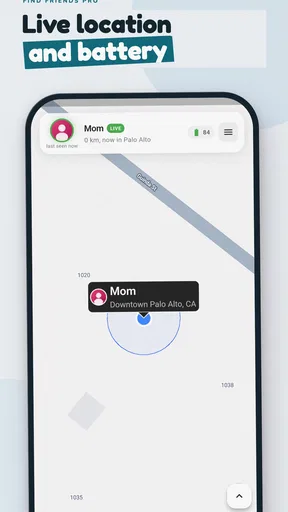
I see Find Friends Family Locator as a reasonable choice for people who want a dedicated, straightforward way to share phone locations, especially when the group is willing to spend a few minutes testing the setup. Its strongest quality is convenience: once the sharing arrangement works, checking a family member’s recent whereabouts can be easier than collecting separate messages from everyone.
Its weakness is equally clear. The experience depends on every participating phone, connection, setting, and user behavior lining up. That makes the app less suitable for households that need guaranteed real-time monitoring, detailed parental controls, or highly dependable emergency tracking. In those cases, a built-in platform tool, a broader family-safety service, or a direct communication plan may be a better match.
I would recommend trying it with one trusted person first, testing it during an ordinary trip, and agreeing on sensible boundaries before adding the whole family. Keep the app updated, check the source phone when a marker looks stale, and treat the map as recent guidance rather than absolute proof. Used with those habits, the free app from synchronise can be a practical addition to a family’s routine.
My final view is cautiously positive. The app does not remove the messy parts of location sharing, but it can make everyday coordination less repetitive. If you want a focused family location-sharing app and are prepared to handle the setup carefully, it is worth trying. If you want invisible tracking, guaranteed precision, or an all-in-one parenting platform, I would look elsewhere instead.
Pros
- Real-time location sharing helps coordinate family members quickly.
- Geofenced place alerts can notify you when someone arrives or leaves.
- Location history makes it easier to review recent trips and routines.
- Emergency features provide a quick way to contact trusted family members.
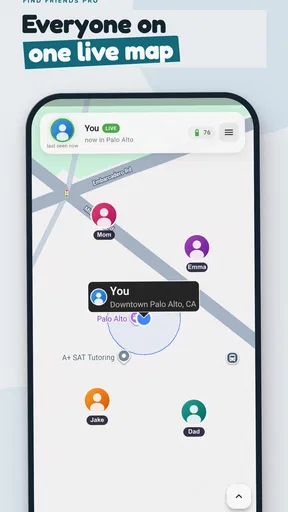
- Simple map-based interface is easy for most users to understand.
Cons
- Continuous GPS use may noticeably reduce battery life.
- Some features may require a paid subscription or in-app purchase.
- All family members must install the app and grant location permission.
- Location accuracy can drop indoors or in areas with weak signal.
- Sharing sensitive location data raises privacy concerns for some users.
FAQs for Find Friends Family Locator
What is Find Friends Family Locator and how does it work?
Find Friends Family Locator is a location-sharing app designed to help families and trusted friends stay connected. After creating an account and granting the required permissions, you can invite people to a private group and view their shared location on a map. The app may also support location updates, place notifications, and alerts, depending on the device, subscription, and enabled features.
Does Find Friends Family Locator require constant GPS and internet access?
Yes, reliable location tracking generally requires location services, mobile data or Wi-Fi, and permission to operate in the background. If GPS is disabled, the phone is in airplane mode, the battery is critically low, or the app is restricted by the operating system, location updates may be delayed or unavailable. Background activity can also increase battery and data usage, so checking these settings is important.
Can someone track me without my permission?
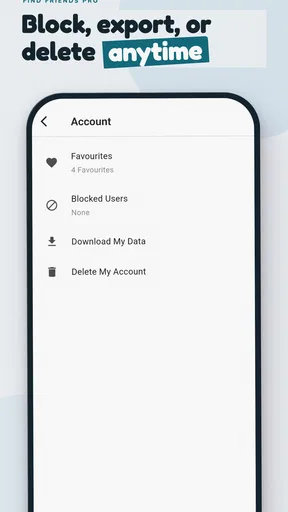
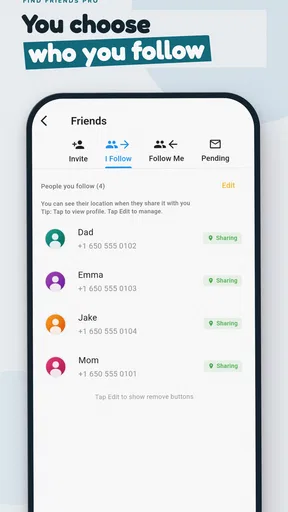
The app is intended for consensual location sharing, meaning a person should accept an invitation or join a group before their location is visible. You should review every request carefully and avoid sharing access with unknown users. Location visibility can normally be stopped by leaving a group, disabling sharing, removing permissions, or deleting the account, although exact controls may vary by version.
Is Find Friends Family Locator free to use?
The app may offer a free download with basic location-sharing functions, while advanced tools can require in-app purchases or a subscription. Premium features may include longer location history, additional alerts, larger private groups, or enhanced safety options. Before starting a trial, review the pricing page, renewal terms, and cancellation process because subscriptions can renew automatically through Google Play or the App Store.
How accurate is the location shown in Find Friends Family Locator?
Displayed locations are estimates rather than guaranteed real-time positions. Accuracy depends on GPS signal strength, Wi-Fi and cellular coverage, device settings, battery-saving restrictions, and how recently the phone reported its position. Indoor locations, underground areas, dense cities, and poor network conditions can reduce precision. For safety-critical situations, use the app as a communication aid rather than a replacement for emergency services.


